
Assign Tracker(s) to a Pod so metrics and budgets can be aggregated up across a number of Tracker(s) and User access can better controlled.
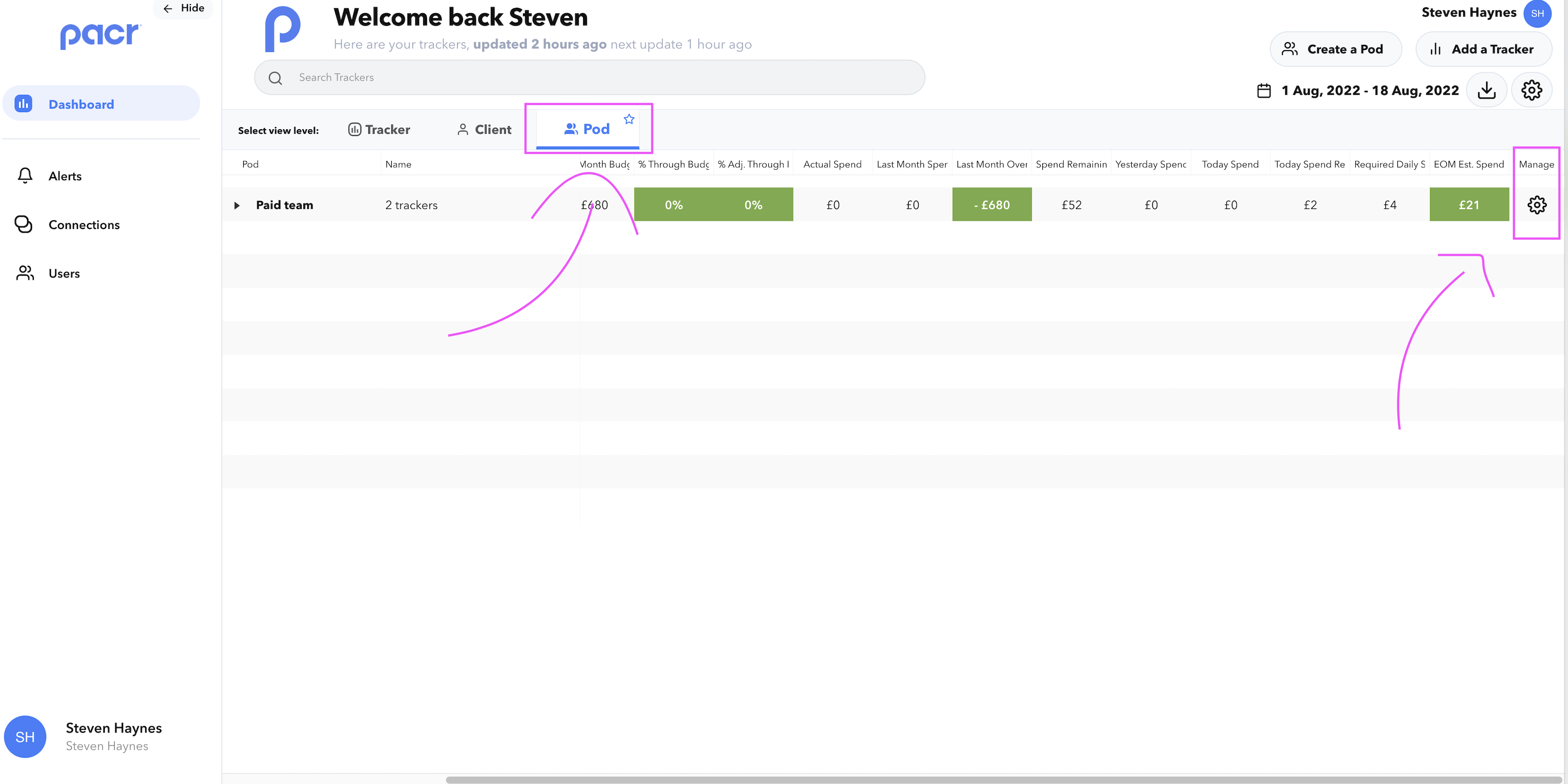
- Open the 'Manage Pod' by clicking the Settings cog on the far right column of the Pods view
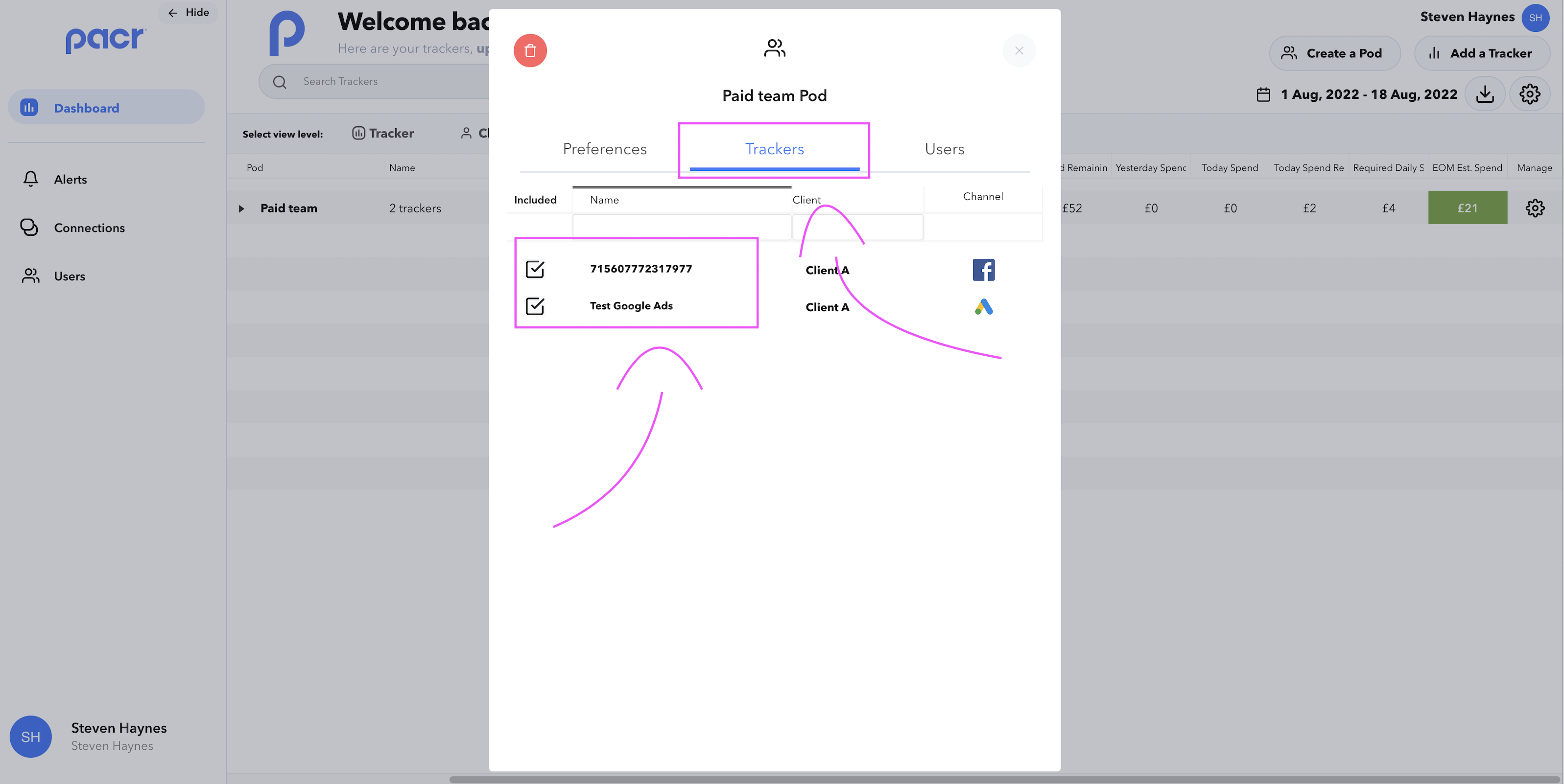
- Navigate to the 'Trackers' tab within the Manage Pod modal and select/deselect the Tracker(s) that you want to include
Utilise the Pod functionality to maximise your efficiency when keeping track of your spend and budgets!