Add team members and stakeholders to your Pacr account, utilise different privileges to ensure user's have access to what they require:
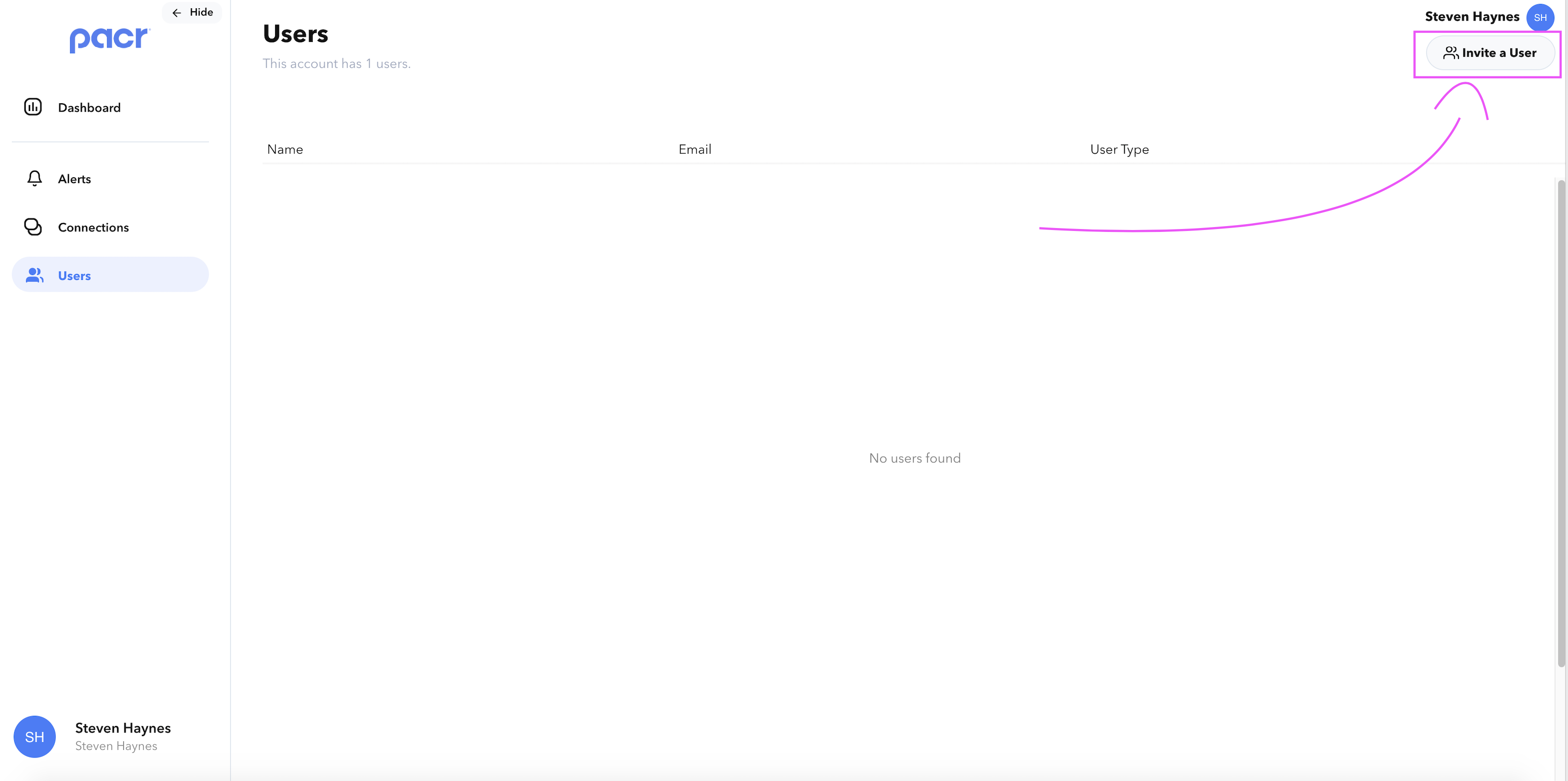
- Navigate to the 'Users' tab and open the 'Invite a User' modal
- Either manually copy the invitation link and share this with the user or fill out for the form for the and automatically send the invitation to the user's email address
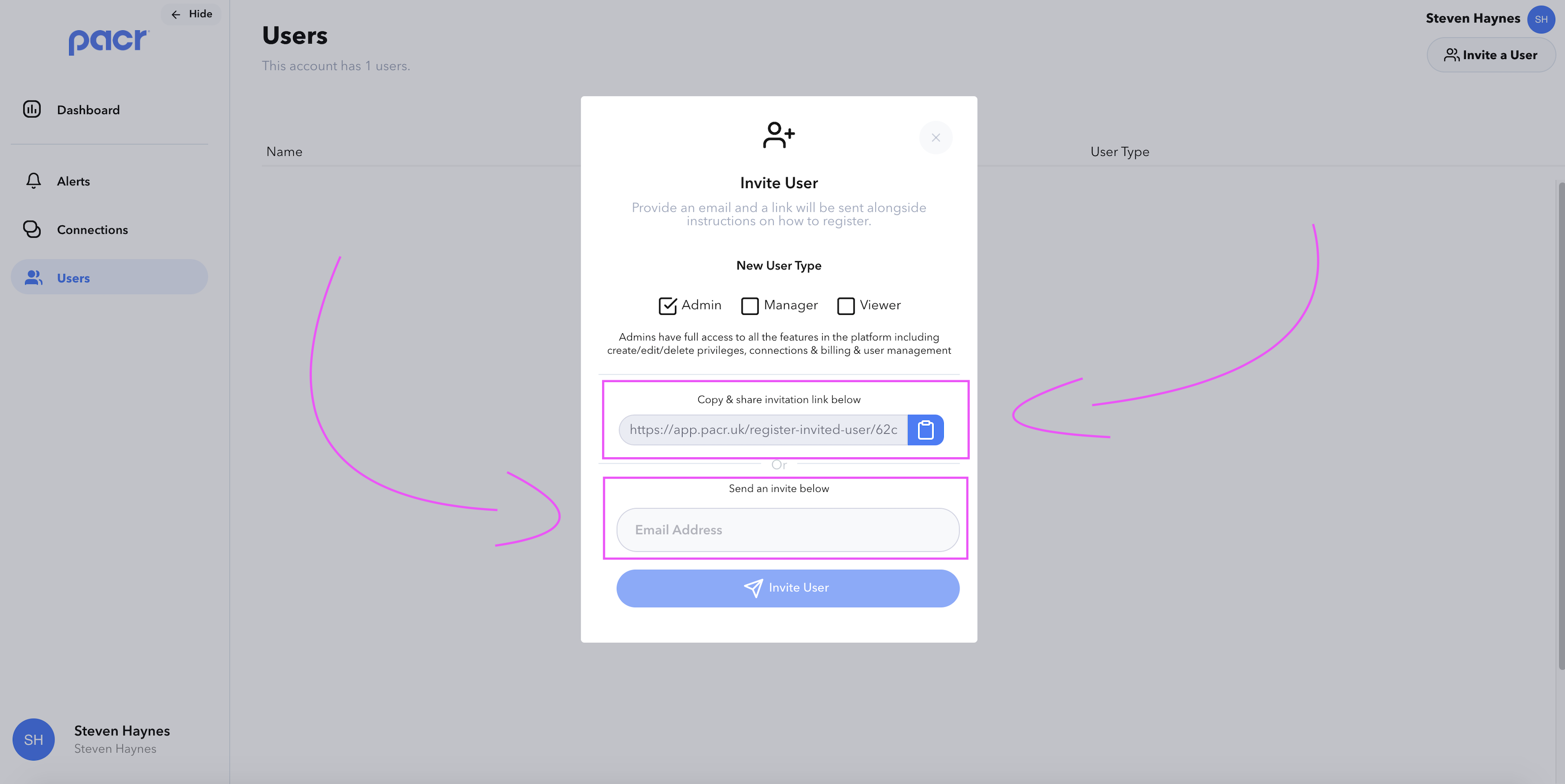
NOTE: Utilise different user types within Pacr to provide varying levels of access to different team members:

Admin - Admins have full access to all the features in the platform including create/edit/delete privileges, connections & billing & user management
Manager - Managers have limited access to the features of the platform, they can edit the trackers and pods that they have access to
Viewer - Viewers only see the trackers and pods they have been granted access to and cannot edit or delete trackers/pods
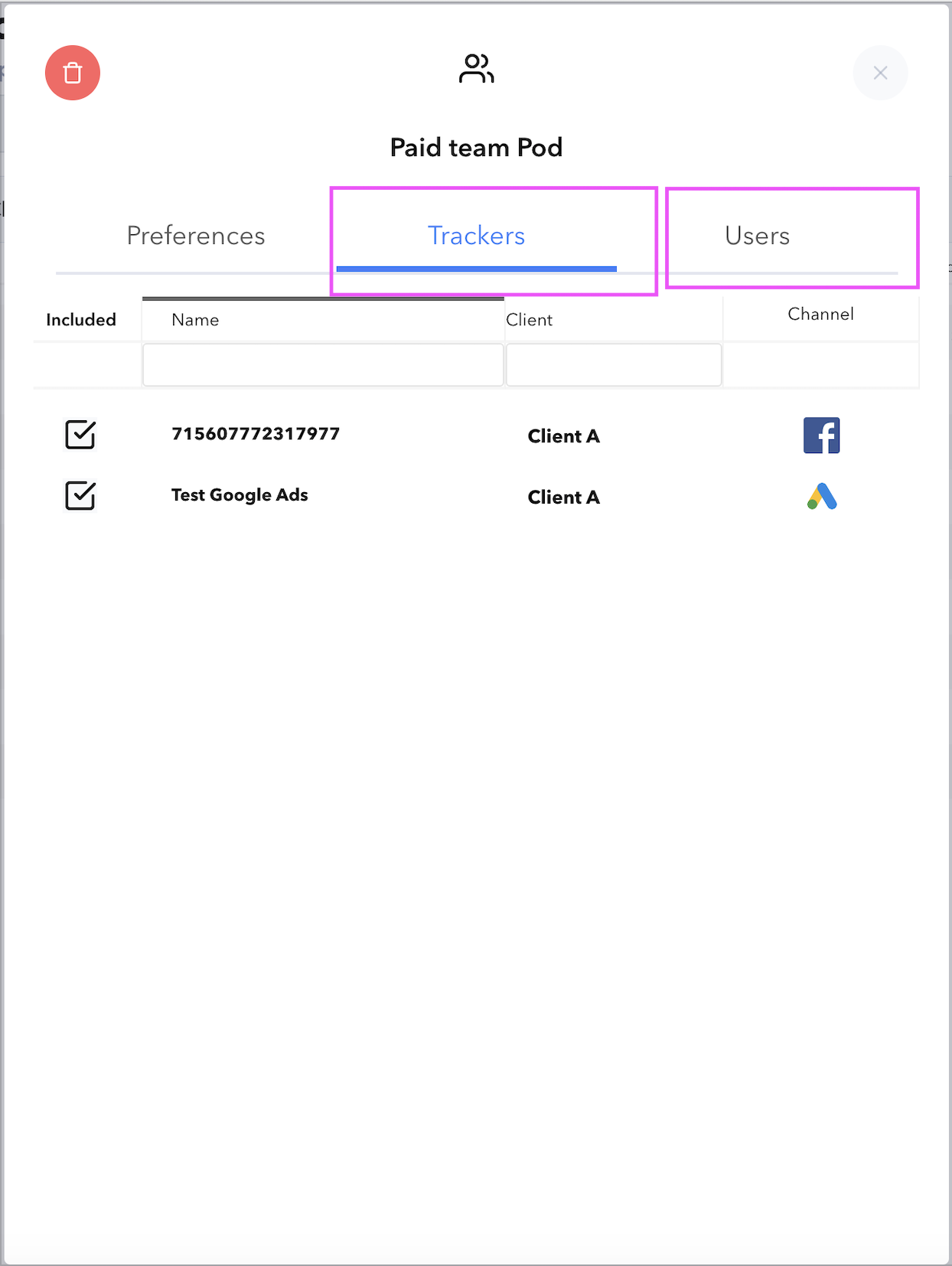
EXTRA: Ensure Viewer's & Manager's have access to the Trackers or Pods they require by ensuring they've been added within the relevant settings modal
- Manage Tracker

- Manage Pod: