
Include Last Month's or the Previous 6 months over/under spend in your budgets & metrics:
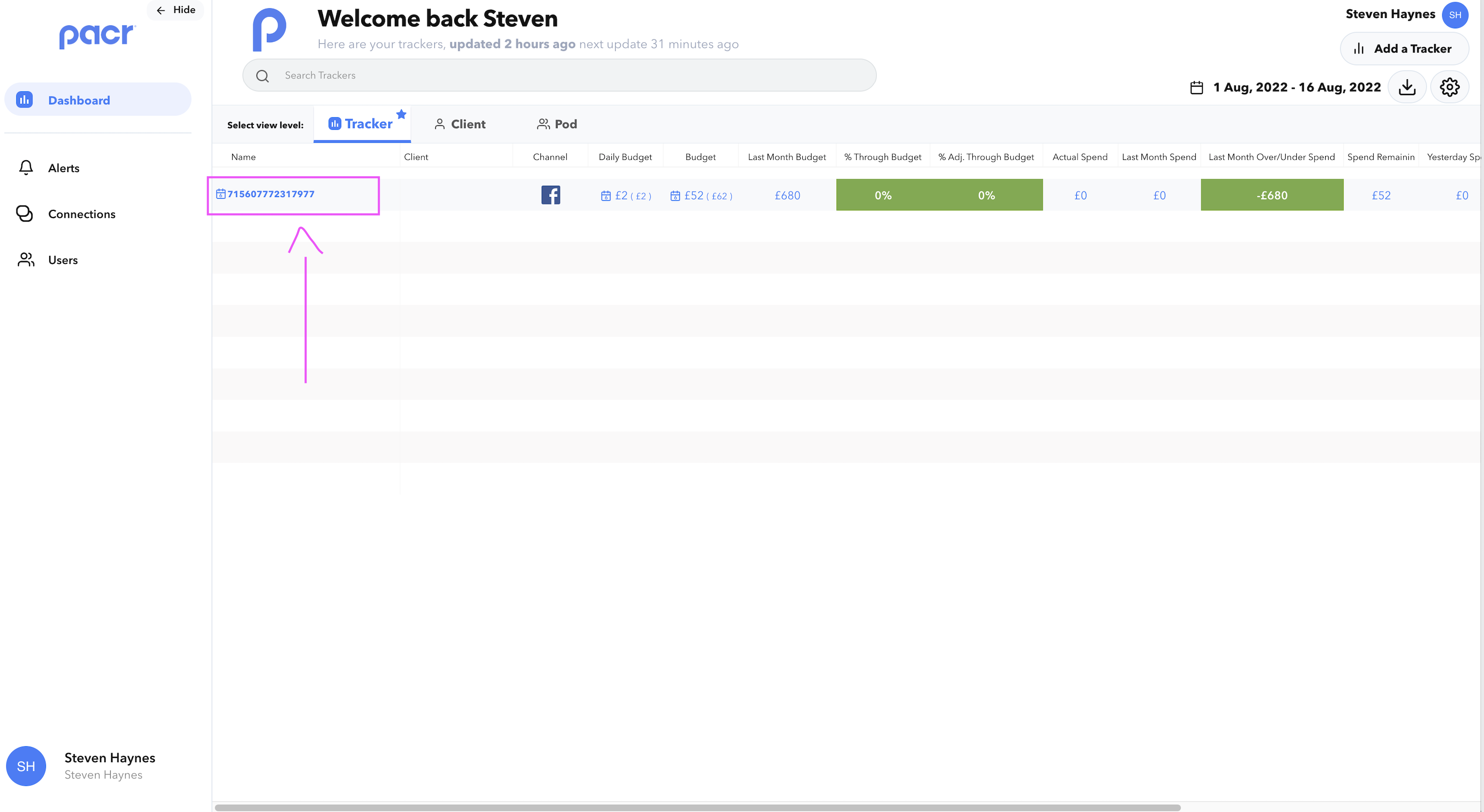
- Open the 'Manage Tracker' modal for your chosen Tracker
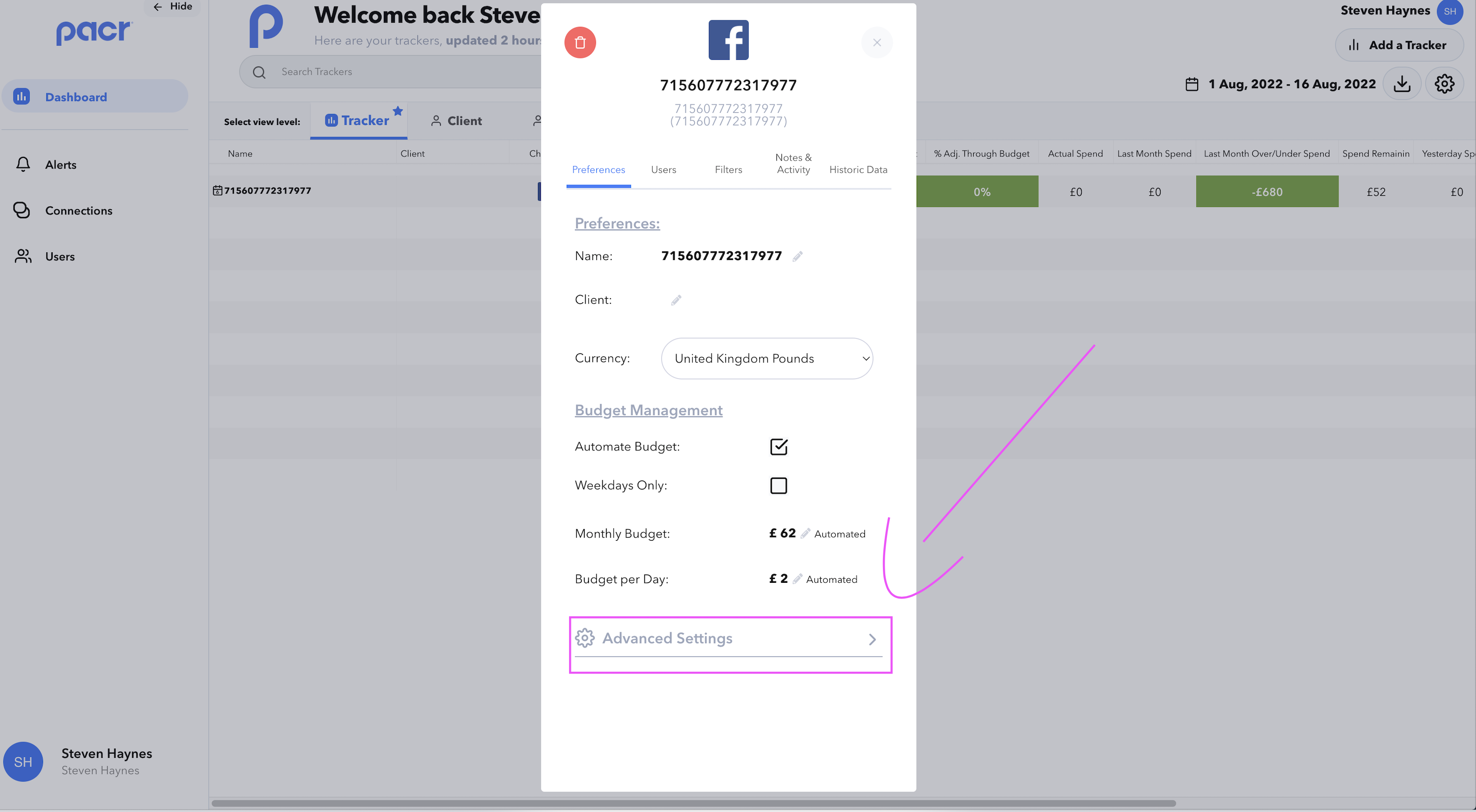
- Expand the 'Advanced Settings' section
- Toggle "6 Months" or "Last Month"
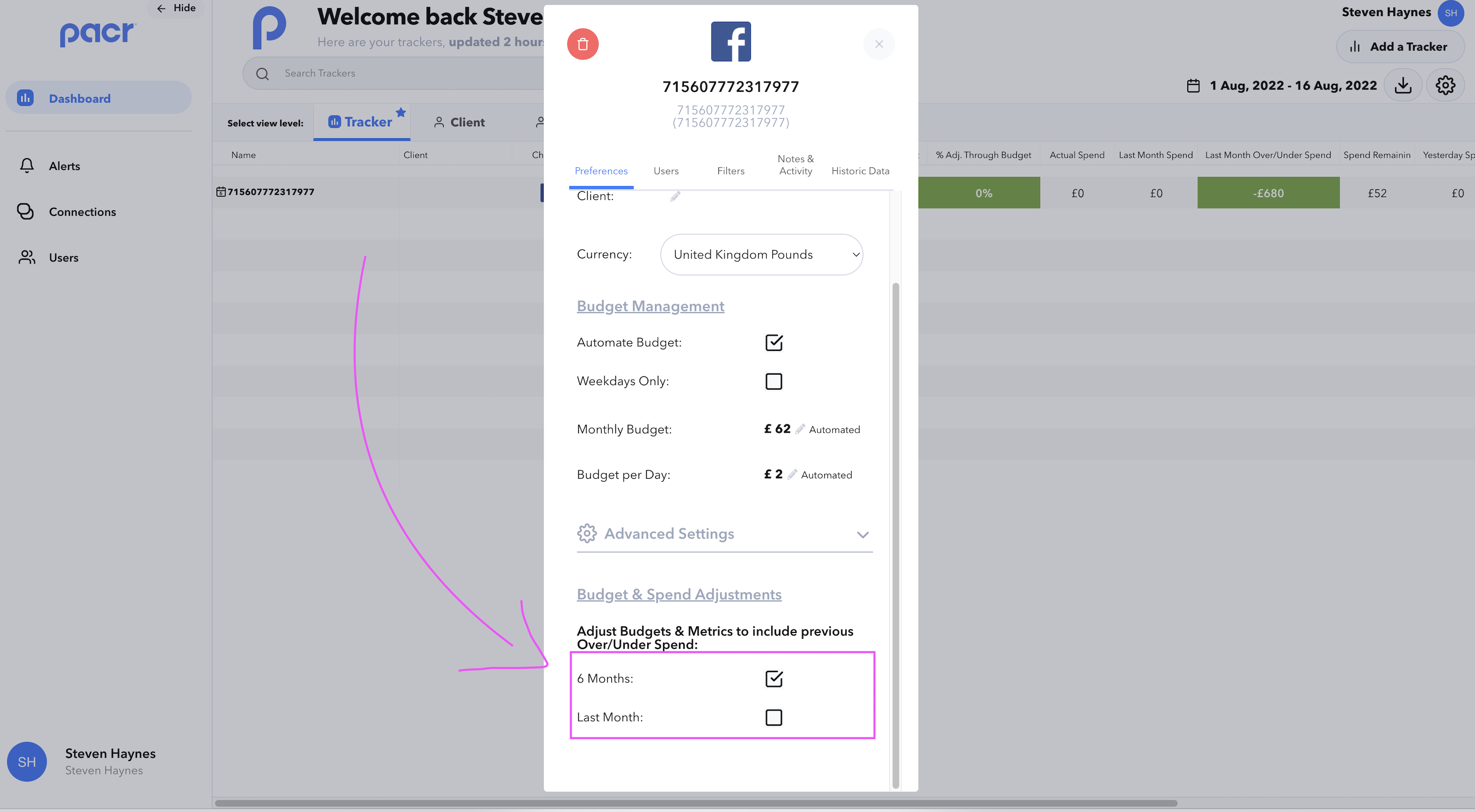
Congrats ! Now your main tracker view will have adjusted budgets & metrics as per your Tracker's previous over/under spend.
Note: Tracker's data will need to be updated before this adjustments is applied, icons will also appear next to the Tracker identifying the Trackers where the adjustments have been applied