
Apply filters to your Tracker(s) so you can breakdown accounts by Campaigns, AdSets, Ads, Ad Type and many more:
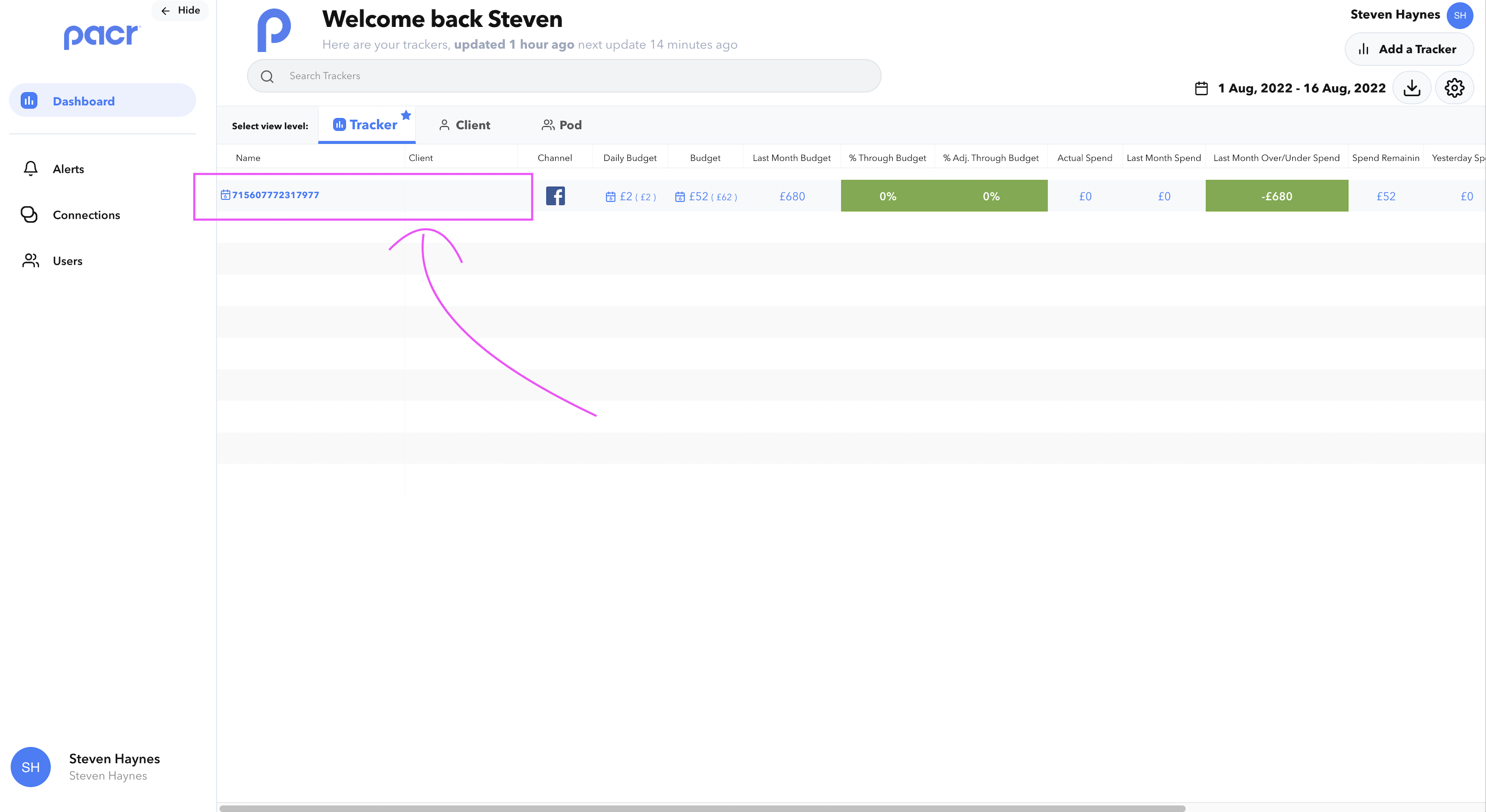
- Open the 'Manage Tracker" modal
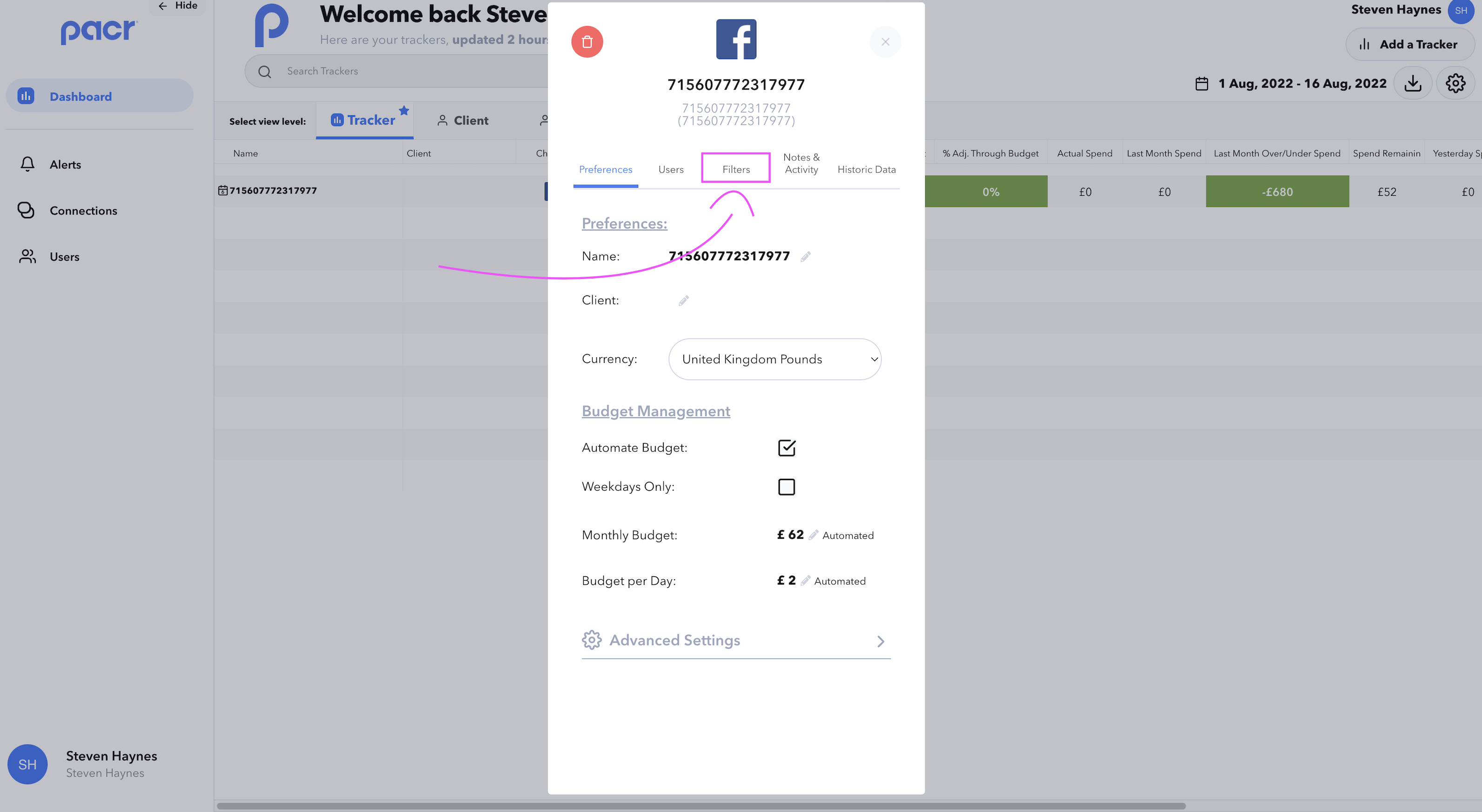
- Navigate to the 'Filters' tab
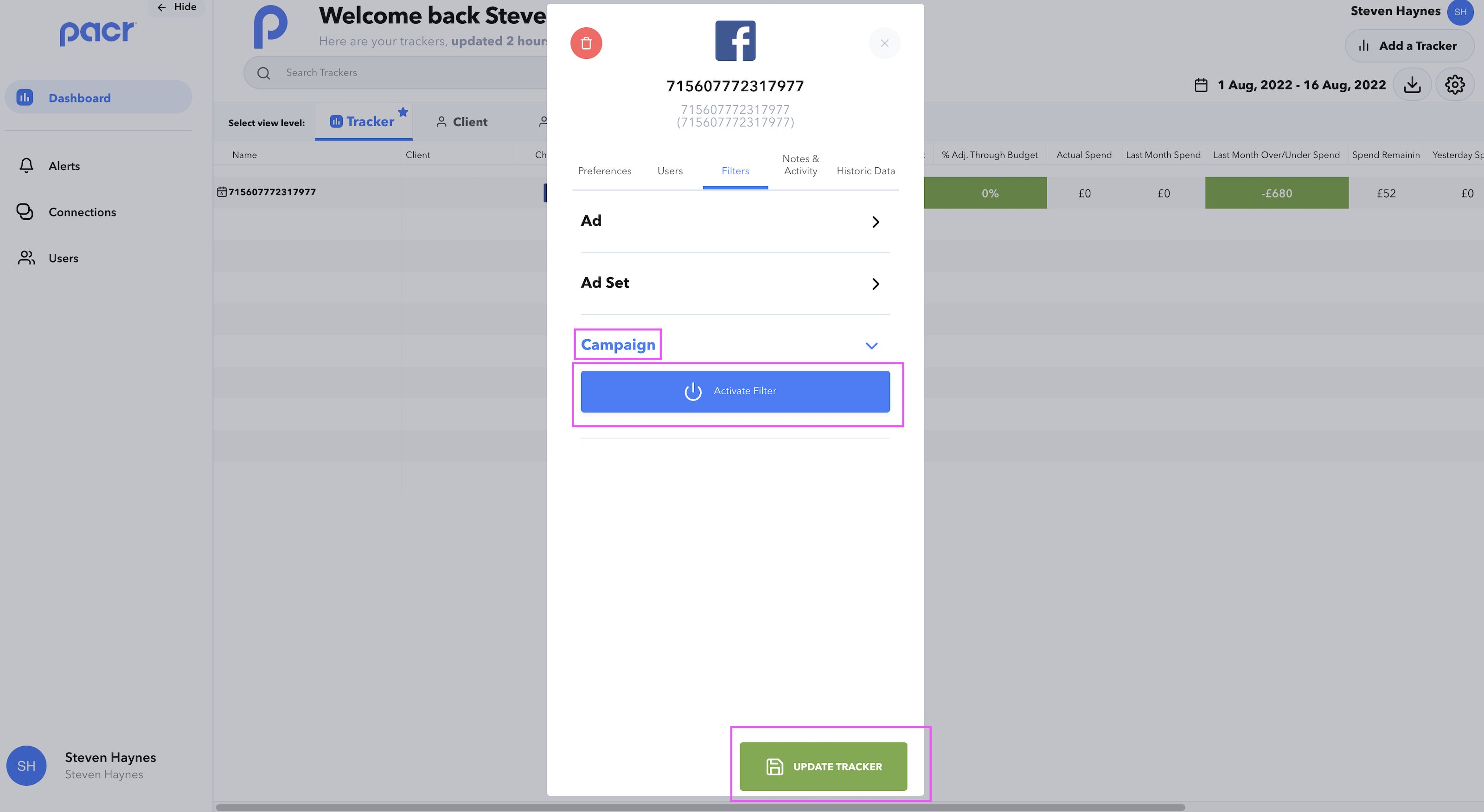
- Expand your chosen filter and 'Activate' the filter if necessary, once the filters have been applied then 'Update Tracker'
Data for the Tracker(s) will need to be refreshed so you will need to wait for your Tracker update cycle to rerun for the updated data to appear !