Edit the columns you see in the table:
- Open the 'Table Settings' modal
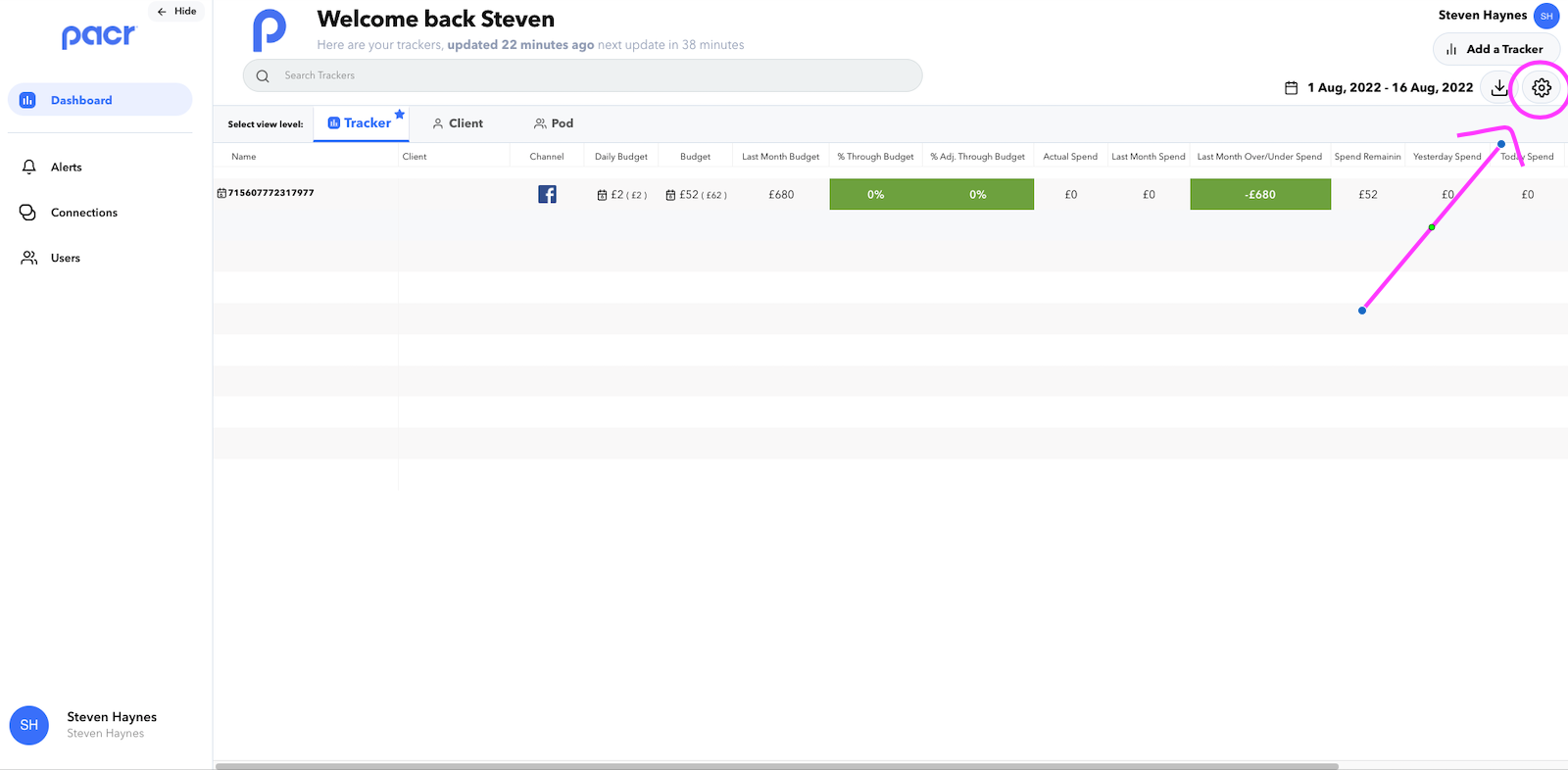
- Add/Remove columns by clicking on the column tile and 'Save Changes'
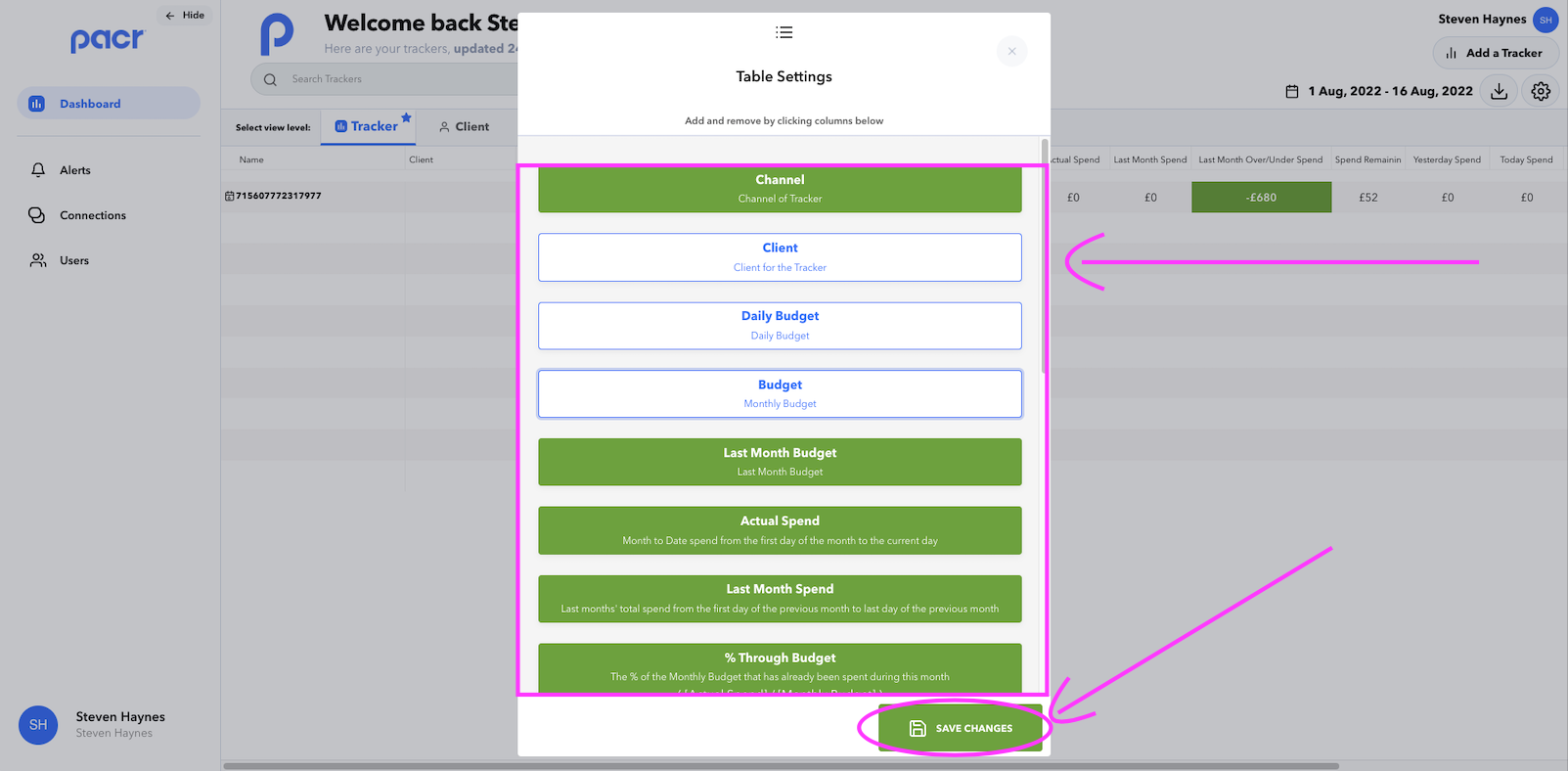
Your Tracker tables will now reflect these changes !

Edit the columns you see in the table:
- Open the 'Table Settings' modal
- Add/Remove columns by clicking on the column tile and 'Save Changes'
Your Tracker tables will now reflect these changes !